Zen Garden Peaceful Simulation
Reviews
💡Zen Garden Peaceful Simulation delivers a genuinely relaxing experience with its simple click-based interactions. The water wheel, fish, and bamboo planting are satisfying without being complex. The meditation feature adds a nice touch for deeper calm. The soothing music completes the atmosphere. Ideal for short breaks or longer sessions of mindfulness.
Description
Game Introduction
Zen Garden Peaceful Simulation invites players to create a personal oasis of tranquility. This browser-based game offers a gentle escape from daily routines, focusing on calm interactions and soothing visuals. Players can tend to a virtual garden by clicking on elements like a water wheel, lake, and bamboo plants. The experience emphasizes slow, mindful engagement rather than competition or time pressure. Soothing background music enhances the atmosphere, making it suitable for players of all ages seeking a moment of peace. The game is designed for desktop computers and is free to play, requiring no downloads or installations. Its core objective is to provide a relaxing space where users can unwind at their own pace, exploring simple interactions that promote a sense of well-being.
How to Play
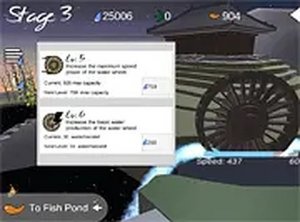
Playing Zen Garden Peaceful Simulation is straightforward. Players use a mouse to click on various garden elements to see them respond. For example, clicking the water wheel makes it spin, and clicking the lake allows fish to appear and swim. Bamboo plants can be selected and placed in desired locations to decorate the garden. To meditate, players click on the temple to start a calming session. There are no timers, scores, or complex rules. The game encourages exploration and personal creativity in arranging the garden. It is optimized for desktop play with a keyboard and mouse, allowing for precise interaction with each element.
Game Features
Key features of Zen Garden Peaceful Simulation include a responsive water wheel that spins when clicked, a lake where players can add and watch fish swim, and bamboo plants that can be arranged to enhance the garden's aesthetic. A temple area provides a meditation feature for deeper relaxation. Soothing background music plays throughout the experience, contributing to the calm atmosphere. The game is free to play and runs directly in a web browser on desktop computers. Each feature is designed to encourage slow, mindful interaction without any pressure or time limits.
Tips for Success
Take time to explore each garden element to discover its unique interaction. Experiment with different placements of bamboo to create pleasing visual arrangements. Add fish gradually to enjoy the calming effect of watching them move. Use the meditation feature when you feel the need to relax further. There is no rush, so allow yourself to fully immerse in the peaceful atmosphere and enjoy the process of creating your ideal garden.