Pizza Shop Cooking Time Management
Reviews
💡Pizza Shop Online Game delivers a polished time management experience. The controls are intuitive, and the difficulty curve keeps you engaged without feeling overwhelming. Each level introduces new challenges that require quick thinking and efficient planning. The upgrade system adds replay value as you strive to improve your restaurant. It is a solid choice for casual gamers looking for a fun, family-friendly activity.
Description
Game Introduction
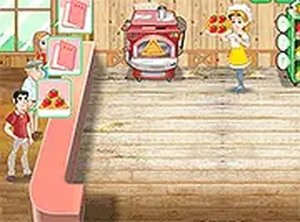
Pizza Shop Online Game is a time management and simulation arcade game where you take charge of a busy pizza restaurant. Your main goal is to serve customers by preparing pizzas exactly as they order, from taking orders to adding toppings, baking, and serving. The game offers a fun challenge that tests your speed and organization skills, with a progression system that lets you upgrade your restaurant. It is designed for players of all ages and runs directly in your browser, making it easy to jump in and play anytime.
How to Play
In this game, you start by clicking on a customer to see their order. Then, you move to the preparation area to select the correct toppings and drag the pizza to the oven for baking. Once ready, serve the pizza to the waiting customer. A patience meter shows how long each customer will wait—if it empties, you lose that order. Successfully completed orders earn you coins, which you can spend on upgrades like a faster oven or better ingredients. As you progress, more customers arrive and orders become more complex, increasing the challenge.
Game Features
Simple point-and-click controls that work on both desktop and mobile devices. Colorful, family-friendly graphics suitable for all ages. Increasing difficulty levels that keep the gameplay engaging. Upgrade system to improve your restaurant's efficiency and speed. No downloads or installations required—playable directly in a web browser. This game is ideal for kids and adults who enjoy time management and cooking simulations.
Tips for Success
To succeed, focus on learning the order of operations: take orders, prepare quickly, and serve promptly. Keep an eye on the patience meter and prioritize customers who are about to leave. Use your earned coins wisely by upgrading key equipment like the oven first, as it speeds up baking. Practice multitasking to handle multiple orders at once. As the game gets harder, stay calm and plan your moves ahead. Regular practice will help you improve your speed and accuracy.