Town Builder 3D: City Puzzle
Reviews
💡Town Builder 3D: City Puzzle offers a peaceful yet engaging experience. The item combination system is intuitive and rewarding, unlocking new structures as you play. The colorful 3D graphics make your city come to life. With no time limits, it's perfect for casual players who enjoy creativity and strategy at their own pace.
Description
Game Introduction
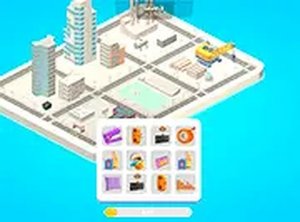
Town Builder 3D: City Puzzle is a city building puzzle game that invites you to construct your own virtual town from scratch. The core gameplay revolves around combining two identical items to produce a new object, which can then be placed on your city map. This process gradually transforms an empty plot into a lively, bustling community. With its colorful 3D graphics and intuitive mechanics, the game offers a relaxing yet engaging experience. There are no strict rules or time limits, allowing you to build at your own pace. This makes it ideal for players who enjoy creativity and strategy without pressure. Whether you are a fan of simulation games or just looking for a fun way to pass the time, Town Builder 3D delivers a satisfying sense of progress and discovery.
How to Play
To play, use your mouse to interact with the game. Start by selecting two identical items from the available options. Combine them to unlock a new item, then place it on the city map. Continue this process to discover more complex and exciting objects. The game is designed for desktop play, so a mouse is recommended for the best experience. You can also switch to full screen mode for a more immersive view. There are no strict rules or time limits, so you can experiment with different combinations and watch your town grow. The key is to keep combining and placing items strategically to create a lively and diverse cityscape.
Game Features
Combine items to discover new objects. Build a unique 3D city. Relaxing gameplay with no time limits. Colorful and engaging graphics. Suitable for all ages.
Tips for Success
Take your time experimenting with different combinations to discover all possible items. Plan your city layout to make the most of available space. Keep combining items regularly to unlock new structures and decorations. Pay attention to how items interact to create a cohesive and lively town. Enjoy the process and don't rush—there is no time limit, so you can build at your own pace.