Polygon Flight Simulator
Reviews
💡Polygon Flight Simulator offers a relaxing flying experience with its low-poly art style and straightforward controls. The multiple airport routes provide enough variety to keep sessions engaging. The game runs smoothly in any modern browser without downloads, making it easy to jump in and play. Its realistic flight model adds depth for enthusiasts while remaining beginner-friendly. A great choice for anyone looking for a free, no-fuss flight simulation game.
Description
Game Introduction
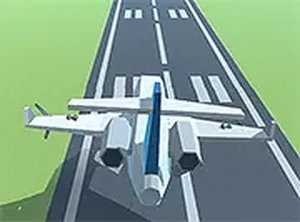
Polygon Flight Simulator is a browser-based flight simulation game that places you in the cockpit of a detailed polygon-style aircraft. The core objective is to take off from one airport and navigate through the sky to land safely at another destination. The game combines simple controls with a realistic flight model, making it accessible for beginners while still offering depth for those who enjoy piloting challenges. The vibrant, low-poly art style creates a clean and appealing visual environment that runs smoothly in your browser without any downloads. This game offers a calm and rewarding flying experience, with straightforward controls and clear objectives that make it easy to pick up and play.
How to Play
Players typically use keyboard and mouse inputs to control the aircraft. The game starts with taking off from a runway, after which you follow an on-screen flight path toward your destination. Maintaining steady flight involves adjusting pitch and roll to keep the plane stable. Along the route, you may need to watch for obstacles. The primary goal is to land smoothly at the target airport. For the best experience, it is recommended to play on a desktop computer and switch to full screen mode for an immersive view. Practicing each route helps improve precision and timing over time.
Game Features
Polygon Flight Simulator includes several notable features: it is a free browser-based 3D flight simulator with smooth and responsive controls. The game offers multiple airport routes to complete, providing variety in each session. A full screen mode is available for an immersive experience. The colorful polygon graphics are easy on the eyes and create a clean visual style. No downloads or installations are required, as the game runs entirely in your browser. These features make it an accessible and enjoyable simulation game for players of all skill levels.
Tips for Success
To succeed in Polygon Flight Simulator, practice each route regularly to improve your precision and timing. Focus on smooth control inputs when adjusting pitch and roll to maintain stable flight. Pay close attention to the on-screen flight path and anticipate upcoming turns or obstacles. Landing smoothly is key, so practice gradual descent and alignment with the runway. Using full screen mode can enhance your situational awareness. Finally, take your time with each flight; rushing may lead to errors. Consistent practice will help you master the controls and complete routes more efficiently.