Shapez Factory Automation Puzzle
Reviews
💡Shapez offers a satisfying blend of creativity and strategy, allowing players to design efficient production lines from simple shapes to complex designs. The minimalist graphics keep the focus on problem-solving, and the pause feature lets you plan without pressure. With a progressive tech tree and no time limits, it is perfect for casual and dedicated puzzle fans alike.
Description
Game Introduction
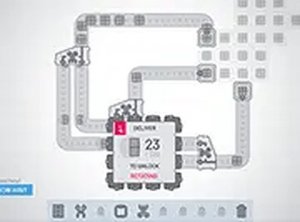
Shapez is a factory automation puzzle game where players design and manage production lines to create and combine shapes. The core objective is to deliver specific shapes requested by the game, starting with simple forms and progressing to more complex designs. Players place machines to extract, cut, rotate, and merge shapes from the map, connecting them with belts to form efficient workflows. As orders are fulfilled, points are earned to unlock upgrades and new technologies, allowing for greater automation. The game features minimalist visuals and an intuitive interface, making it easy to start but deep in strategy. It runs smoothly on desktop browsers and supports full screen mode for an immersive experience. This game appeals to players who enjoy creative problem-solving and logistics planning.
How to Play
To play Shapez, begin by placing extractors on shape nodes to gather basic shapes. Use cutters to split shapes, rotators to change their orientation, and combiners to merge them into new forms. Connect these machines with conveyor belts to move shapes between stations. The game provides a map with resource nodes and space to expand the factory. Fulfill orders by delivering the correct shapes to the hub. Each completed order awards points that unlock new technologies in the tech tree. Players can pause the game at any time to adjust the layout without pressure. The controls rely on mouse clicks for placement and keyboard shortcuts for quick actions. Experiment with different arrangements to improve efficiency and handle more complex recipes.
Game Features
Game features include: free to play with no downloads required. Full screen mode for an immersive experience. Desktop-optimized controls for precise placement. Progressive complexity that gradually introduces new challenges. A tech tree with upgrades to enhance automation. Minimalist graphics that keep the focus on gameplay. The ability to pause and redesign the factory anytime. Smooth performance in modern browsers.
Tips for Success
Plan the factory layout carefully before building to minimize wasted space and belt crossings. Use the pause feature to think through complex designs without time pressure. Prioritize upgrading the technology tree to unlock more efficient machines and processes. Experiment with different machine arrangements to find the most compact and fast production lines. Keep an eye on the order requirements and adjust the setup accordingly to avoid bottlenecks. Regular practice with basic shapes helps understand the core mechanics before tackling advanced puzzles.