Heroes Maze Action Arcade
Reviews
💡Heroes Maze Action Arcade captures the feel of classic arcade mazes with a fantasy twist. The four heroes each offer a different play style, and the collectible items add strategy. The top-down view and full screen mode make it easy to play. It is a solid choice for fans of retro-style action games.
Description
Game Introduction
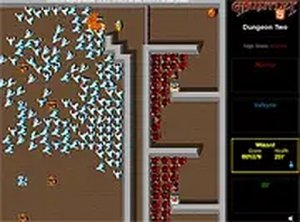
Heroes Maze Action Arcade brings a classic fantasy maze adventure to your browser for free. Inspired by arcade traditions, this game lets you choose from four distinct heroes: a close-combat specialist, a magic user, a heavily armored defender, and a swift scout. Your goal is to navigate top-down maze levels, find the exit in each area, and manage encounters with various foes that appear from generators. Along the way, you can collect food to restore energy, keys to open locked passages, and magical potions to clear all opponents on the screen. Designed for desktop play, the game supports full screen mode for a more engaging experience. The combination of hero selection, resource management, and maze navigation creates a rewarding challenge for players of all ages.
How to Play
Players control their chosen hero using keyboard or mouse inputs to move through maze-like levels. The main objective is to locate the exit of each level while managing health and resources. Foes emerge from generators placed throughout the maze, and players can choose to avoid or overcome them. Collecting food restores health, keys unlock doors to new areas, and potions remove all visible opponents. Each hero has unique strengths, so selecting one that matches your preferred approach can make the experience more enjoyable. The game is best played on a computer, and full screen mode is available for better visibility.
Game Features
Classic arcade action with a fantasy theme. Four unique heroes with different abilities. Top-down maze levels with multiple types of opponents. Collectible items including food, keys, and potions. Destructible enemy generators that stop reinforcements. Full screen mode for desktop play. The game is free to play in a browser with no download required.
Tips for Success
Focus on destroying enemy generators early to reduce the number of opponents. Prioritize collecting food to maintain high health. Use keys to unlock doors that lead to new areas. Experiment with different heroes to find the one that suits your play style. Practice navigating the maze to improve your speed and efficiency.