Fantasy World Adventure Quest
Reviews
💡Fantasy World Adventure Quest offers a charming 2D world to explore, with real-time combat and coin collection. The ability to unlock outfits and items adds a fun customization layer. Friendly NPCs provide quests and tips, making each playthrough unique. It's easy to learn and runs smoothly in a browser, making it accessible for all ages.
Description
Game Introduction
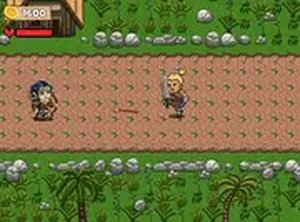
Fantasy World Adventure Quest invites players to explore a vibrant top-down 2D world filled with challenges and surprises. As a brave hero, you will defeat various foes, collect coins scattered throughout the environment, and unlock new items and outfits to customize your character. Friendly non-player characters (NPCs) offer quests and tips, making each journey unique. The game combines exploration, combat, and customization for endless fun. Designed for desktop play, it runs smoothly in your browser without any downloads. Whether you are a seasoned gamer or new to adventures, this family-friendly experience is safe for all ages. Discover what awaits in this enchanting realm.
How to Play
Use your keyboard and mouse to control your character. Move with the arrow keys or WASD. Attack enemies by pressing a designated key. Collect coins throughout the world to unlock new outfits and items from the shop. Approach NPCs and press the interact key to learn about quests and secrets. Battle strategically against various foes using your skills. The game is easy to pick up but offers depth for those seeking a challenge. Play directly in your browser with no downloads needed.
Game Features
Exploration of a colorful 2D world with hidden areas. Real-time combat against different enemies. Customization of your hero with unlockable outfits and items. Interactions with friendly NPCs who provide quests and tips. Coin collection used to purchase upgrades and new gear.
Tips for Success
Explore every area thoroughly to discover hidden coins and secret paths. Talk to all NPCs you meet, as they often provide valuable quests and hints. Manage your coins wisely by prioritizing essential upgrades before cosmetic items. Practice your combat timing to defeat tougher enemies efficiently. Save your progress regularly if the game allows. Revisit earlier areas after unlocking new gear to access previously unreachable spots.