Freezing Knights: Pixel Duel
Reviews
💡Freezing Knights offers a delightful local multiplayer experience with its easy-to-learn attack and block mechanics. The pixel art style adds nostalgic charm, and the browser-based nature means no setup is required. Matches are quick, making it ideal for short breaks. The turn-based format encourages strategic thinking without being overwhelming. It's a great choice for casual gaming sessions with a friend.
Description
Game Introduction
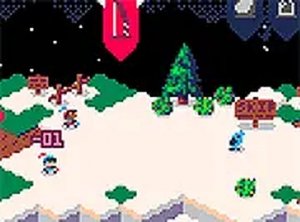
Freezing Knights is a browser-based two-player game that features a charming pixel art style. Designed for quick sessions, it offers a straightforward turn-based experience where each player selects a character and takes turns choosing to attack or block. The game is ideal for a short break or a casual competition with a friend, providing a lighthearted challenge without complex rules or lengthy tutorials. The core objective is to land successful hits while effectively defending against your opponent's moves. What makes this game unique is its simplicity and accessibility, allowing anyone to jump in and play within seconds. The turn-based format gives each player time to think and plan their next move, making it a strategic yet relaxed experience. The game runs directly in a web browser, requiring no downloads or installations, so you can start playing immediately. Its pixel art style evokes a classic arcade feel, adding to the nostalgic charm. Whether you have a few minutes to spare or want a fun way to engage with a friend, Freezing Knights offers an enjoyable and straightforward gaming session.
How to Play
To play Freezing Knights, you and a friend each choose a character at the start of the game. During each round, you pick an action using your keyboard or mouse—either attack your opponent or block their incoming strike. The goal is to land hits while successfully defending against your opponent's attacks. The turn-based format gives you time to think about your next move. The game works best on a desktop computer with a keyboard or mouse, and you can switch to full screen mode for a more focused experience. Each match consists of multiple rounds, and the player who lands more successful hits wins. The controls are simple and intuitive, making it easy for new players to learn quickly. The game is designed for two players on the same device, so you can play with a friend sitting next to you. The straightforward mechanics mean you can focus on strategy rather than complex button combinations.
Game Features
Freezing Knights supports two players on the same device, making it perfect for local multiplayer sessions. It uses simple attack and block mechanics that are easy to learn, allowing players to focus on strategy. The pixel art style gives a classic arcade feel, enhancing the visual appeal. Matches are short, so you can play multiple rounds in a few minutes, making it ideal for quick breaks. Freezing Knights runs directly in your browser without any downloads or installations, ensuring accessibility anytime. The game offers a turn-based format that rewards thoughtful planning and anticipation of your opponent's moves. The full screen mode option provides a more immersive experience. The game is designed for casual play, with no complex rules or lengthy tutorials required. It is suitable for players of all ages who enjoy lighthearted competition.
Tips for Success
To improve in Freezing Knights, practice reading your opponent's patterns and vary your moves. Try to anticipate whether they will attack or block, and adjust your strategy accordingly. Stay calm and think ahead, as turn-based gameplay rewards careful planning. Playing regularly with the same friend can help you learn each other's tendencies and sharpen your reflexes. Focus on mixing up your actions to keep your opponent guessing. The key to success is balancing offense and defense, so don't become predictable. With practice, you can develop effective strategies and enjoy more competitive matches.