Noob School Guardian
Reviews
💡Noob School Guardian delivers a satisfying mix of action and strategy. The upgrade system keeps you engaged, and the increasing difficulty provides a steady challenge. The 3D graphics are colorful and inviting. It's easy to pick up, making it perfect for players of all ages who enjoy tower defense-style gameplay without complex rules.
Description
Game Introduction
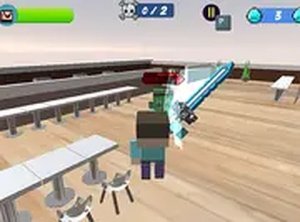
Noob School Guardian is an action defense game where you take on the role of Noob, a determined hero whose mission is to keep a school safe from invading monsters. Each wave brings new enemies, and you must react quickly to protect the building. The game uses vibrant 3D graphics to create an engaging environment. As you defeat monsters, you collect diamonds that can be used to upgrade Noob's gear, including health, attack power, and speed. The challenge increases with each wave, requiring careful planning and quick reflexes. This game is free to play directly in your browser on a desktop computer, with no installation needed. It offers a full-screen mode for a more immersive experience. Whether you enjoy strategy or action, this game provides a balanced mix of both. The simple controls and clear objectives make it accessible for players of all ages. You can jump into the action immediately and start defending the school.
How to Play
To play Noob School Guardian, use a keyboard and mouse on a desktop computer. Move Noob with the arrow keys or WASD. Aim and attack monsters using the mouse. Complete quests by defeating specific enemies or reaching certain goals to earn extra rewards. Diamonds dropped by monsters can be spent in the shop to upgrade Noob's gear. Each upgrade improves health, attack power, or movement speed. The game progresses through waves of monsters that become stronger over time. Plan your upgrades wisely to survive longer. The goal is to protect the school for as many waves as possible. There are no complicated rules, so you can start playing right away. Use the full-screen option for a better view of the action. The controls are responsive and designed for smooth gameplay.
Game Features
Free to play with no downloads or registration required. 3D graphics create a colorful and engaging world. Optimized for desktop use with keyboard and mouse controls. Full-screen mode available for an immersive experience. Upgrade system lets you improve health, attack, and speed using collected diamonds. Quests provide additional goals and rewards. Simple mechanics make it easy for anyone to pick up and play.
Tips for Success
Noob School Guardian offers a satisfying challenge that grows with you. The upgrade system gives a sense of progress, and each wave feels different. It is a great choice for quick gaming sessions or longer play sessions. The family-friendly theme and clear objectives make it enjoyable for all ages.