Elite Chess Online Game
Reviews
💡Elite Chess Online Game delivers a polished chess experience with a responsive computer opponent. The timer keeps matches brisk, while full screen mode aids concentration. The interface is intuitive, making it easy to jump into a game. Replayability is high as each match presents new strategic challenges. A reliable choice for casual and serious players alike.
Description
Game Introduction
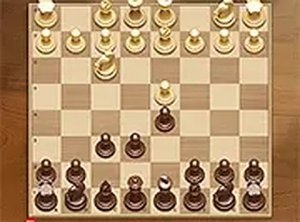
Elite Chess Online Game brings the timeless strategy of chess to your browser. This HTML5 game lets you challenge a computer opponent on a classic 8x8 board with sixteen pieces per side. Each player commands six piece types: pawn, rook, knight, bishop, queen, and king. The goal is to checkmate the opponent's king while protecting your own. With a built-in timer, every move counts. Whether you are a beginner or a seasoned player, Elite Chess offers a clean and engaging experience. Play directly on your browser without any downloads, and enjoy the game on both mobile devices and desktop computers. The full screen mode enhances focus, making each match feel more immersive. If you love board games, this is a perfect way to sharpen your skills or relax with a classic pastime.
How to Play
To start playing Elite Chess, simply load the game in your browser. You control the white pieces, and the computer controls the black ones. Click on a piece to select it, then click on a valid square to move. Each piece moves according to standard chess rules: pawns move forward, rooks move in straight lines, knights jump in an L-shape, bishops move diagonally, queens combine rook and bishop moves, and kings move one square in any direction. You must make your move before the timer runs out, adding a layer of challenge. The game ends when one king is checkmated or a draw occurs. Use strategy to protect your king and capture the opponent's pieces. Play on mobile by tapping the screen, or use a mouse on desktop. Enjoy the full screen option for a more focused experience.
Game Features
Classic chess against computer. Timer-based moves add urgency. Full screen mode for distraction-free play. Mobile-friendly design allows play on phones and tablets. No registration or download required. Clean interface with clear piece icons.
Tips for Success
Control the center of the board early to give your pieces more mobility. Develop your knights and bishops before moving your queen. Castle early to protect your king and activate your rook. Think ahead and anticipate your opponent's threats. Practice regularly to improve your tactical awareness and endgame technique. Stay calm under time pressure and avoid rushing your moves.