Arcade Builder Business Sim
Reviews
💡Arcade Builder Business Sim offers a relaxing yet engaging experience for all ages. The game's focus on business management without violence makes it a safe choice for families. With simple controls and a variety of machines to unlock, it provides hours of strategic fun.
Description
Game Introduction
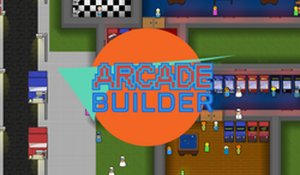
Arcade Builder Business Sim is a family-friendly idle simulation game where players take on the role of an arcade owner. The core objective is to build and manage a successful arcade business by unlocking new machines, setting prices, and keeping customers satisfied. What makes this game unique is its focus on business management in a safe, non-violent environment suitable for all ages. Players can learn simple business concepts while having fun creating their dream arcade. The game emphasizes strategic thinking and resource management without any inappropriate content, making it a wholesome choice for players of all ages.
How to Play
Players typically start by placing arcade machines and other amenities in their arcade space. Using simple controls, you can click to place items and interact with the game interface. The camera can be moved using keyboard keys or by holding the right mouse button to pan the view. Items can be rotated for optimal placement. To earn income, you place machines and adjust pricing through the game's pricing options. You can also save your progress and reload if needed, ensuring you never lose your hard work.
Game Features
Features include managing an arcade business from marketing to item placement. You can unlock new arcade machines, pinball machines, and other equipment. The game includes a pricing system to optimize earnings and customer satisfaction. Amenities like chairs, toilets, change machines, snack or drink machines, and janitors help keep customers happy. The game offers a family-friendly experience without violence or inappropriate content, making it suitable for all ages.
Tips for Success
To succeed, focus on keeping customer happiness high by adding various amenities like chairs and machines. Experiment with pricing to find the best balance between profit and customer satisfaction. Save your game regularly to avoid losing progress. If you encounter bugs, reload the game after saving. If the game lags, try closing the arcade temporarily and reopening it. Learn the layout to place items efficiently and maximize space.