Kogama: Ice Balance Challenge
Reviews
💡Kogama: Ice Balance Challenge offers a unique twist on arcade gaming by focusing on steady movement and precision. The bright graphics and simple controls make it accessible for all ages, while the level editor adds endless replayability. Multiplayer support allows for shared fun, and the gradual difficulty increase keeps the challenge engaging. It is a great choice for quick, relaxing sessions.
Description
Game Introduction
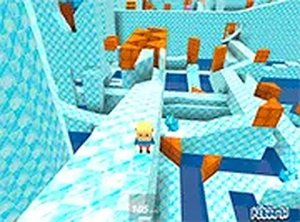
Kogama: Ice Balance Challenge is an online arcade game that tests a player's ability to stay steady on slippery ice slides and moving platforms. The main goal is to collect crystals while keeping the character as still as possible on unstable surfaces. Even a small shift or tilt of the platform can cause a fall, so careful timing and patience are key. The game features bright, colorful graphics that appeal to a wide audience, from children to adults. Players can also create their own ice slides, adding a creative twist to each session. With multiplayer support, friends can join in for cooperative or competitive play. This game is entirely free and designed for desktop computers, ensuring a smooth experience without mobile distractions. Whether you have a few minutes or an hour, Kogama offers quick rounds that are easy to pick up but hard to master.
How to Play
To play Kogama: Ice Balance Challenge, use a keyboard and mouse on a desktop computer. Start by selecting a game mode from the main menu. Use the arrow keys or WASD to move your character across the ice. The key is to stay as still as possible when platforms shift or tilt. Collect crystals scattered along the path to increase your score. Some areas unlock only after gathering enough crystals. You can also enter the build mode to design your own ice slide, choosing curves, ramps, and obstacles. For a more focused experience, switch to full screen mode. The game does not support mobile devices, so play on a laptop or desktop for best results. Invite friends to join the same session for extra fun.
Game Features
Features include ice slides that twist and turn, crystal collection that rewards precision, built-in mini-games for variety, and friend multiplayer for shared play. Players can also design custom levels in the editor, making each game unique. The controls are simple, and the difficulty increases gradually, keeping the challenge fresh. The game is family-friendly and designed for quick, engaging sessions.
Tips for Success
To succeed in Kogama: Ice Balance Challenge, practice staying calm and making small, controlled movements. Watch the platform patterns to anticipate shifts. Collect crystals steadily rather than rushing. Use the level editor to practice on custom courses. Playing with friends can help you learn new strategies and improve your balance skills.